Warehouse RF Scanners and Pick-to-Light
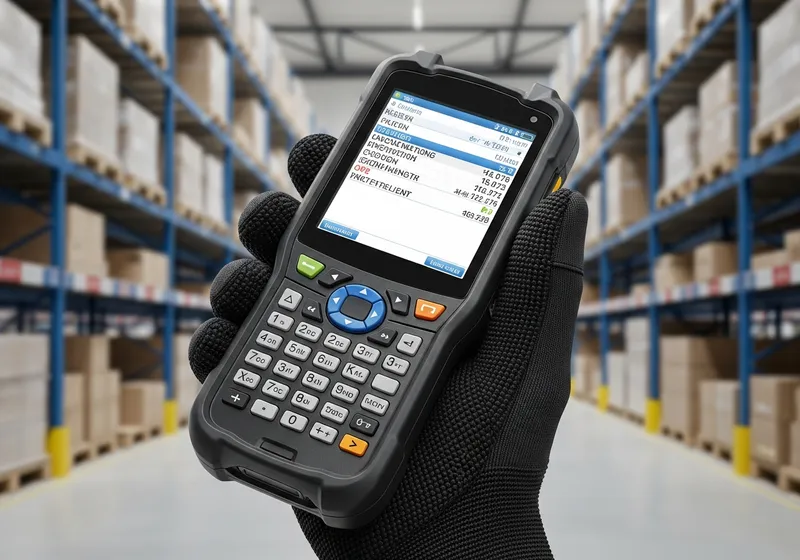
"RF scanner" is one of the most-used — and most-misunderstood — terms in the warehouse. In practice it usually means a wireless barcode scanner, not an RFID reader. This guide explains what RF scanning really means and how it pairs with pick-to-light for closed-loop accuracy.
Below, we break down the RF scanner full form, its warehouse meaning, and the exact steps for using an RF scanner inside a light-directed picking workflow.
Two Questions About Any Warehouse Scanner
1. What does it read?
Printed barcodes & QR codes, or RFID tags. Two different technologies, read by two different devices.
2. How does it connect?
Wired (corded) or wireless. A wireless scanner is often called an "RF scanner" or "WiFi scanner."
RF is not RFID. RF (radio frequency) describes the wireless connection; RFID (radio-frequency identification) is a tag technology read by a different device. Same root words, completely different things — an "RF scanner" is almost always a wireless barcode scanner, not an RFID reader.
RF Scanner Full Form and Warehouse Meaning
- ●RF stands for radio frequency. It describes how the scanner connects — wirelessly — not what it reads.
- ●So an "RF scanner" is almost always a wireless barcode scanner: the same device covered in our barcode guide, just named for its wireless link instead of what it scans.
- ●RF is not RFID. RF (radio frequency) is the wireless connection; RFID (radio-frequency identification) is a tag technology read by a different device. Same root words, completely different things.
- ●Every scanner answers two questions: what it reads (barcodes/QR vs RFID tags) and how it connects (wired vs wireless). "RF" only answers the second.
- ●For order picking, a wireless (RF) barcode scanner confirms the item, location, tote, or order before the worker advances.
- ●Pick-to-light reduces screen reading while RF scanning adds closed-loop confirmation.
If you're weighing tag-based tracking instead of barcodes, see how RFID scanners differ — and where barcode picking remains the better fit for most order fulfillment.

How to Use an RF Scanner in a Pick-to-Light Workflow
Scan the tote, cart, order, or batch to start work.
Follow the light/display to the correct location or cart position.
Scan the item, location, tote, or device barcode when confirmation is required.
Press the display button or complete the scan confirmation.
Send the completed pick, exception, or short back to the WMS.
The scan-and-light loop is what makes the workflow closed-loop. To see how confirmations flow to and from your host system, read about WMS pick-to-light integration.
Continue Reading
Barcode Scanners + Pick to Light
How barcode picking and light-directed workflows combine for closed-loop accuracy
RFID Scanners for Warehouses
When tag-based RFID tracking earns its place — and when barcodes win
Pick to Light System
Complete guide to Voodoo's wireless pick-to-light platform
WMS Integration
How Voodoo connects to any WMS via REST API for scan confirmations
Pick-to-Light vs. Voice Picking
Voice tells a picker where to go; a light shows them — with RF scanning compared alongside
Mispicks: Cost and Fixes
What picking errors really cost and how to stop them, cheapest fix first
Add Closed-Loop Confirmation to Your Picking
Pair wireless RF scanning with Voodoo's pick-to-light displays for guided, confirmed, error-free fulfillment. Talk to our team about the right configuration.